

ProtoArc Backlit Bluetooth Keyboard for Mac, K100-A Wireless Quiet Keyboard for Mac, Low Profile, Full Size, Multi-Device, Rechargeable, No USB, for MacBook Pro/Air, iPhone, iPad, Space Gray
Original price was: $54.99.$39.99Current price is: $39.99.
Related Products



Product description
Wireless Backlit Keyboard Built for Mac Users
The video showcases the product in use.The video guides you through product setup.The video compares multiple products.The video shows the product being unpacked. ProtoArc K100-A Backlit Wireless Keyboard for Mac
Note: K100-A Keyboard is designed primarily for macOS and may not be fully compatible with Windows. The media keys and function keys don’t work on Windows


1 Multi-Device Connection
2 3 Adjustable Backlit
3 USB-C Rechargeable
4 Quiet Typing
5 Key Layout for Mac
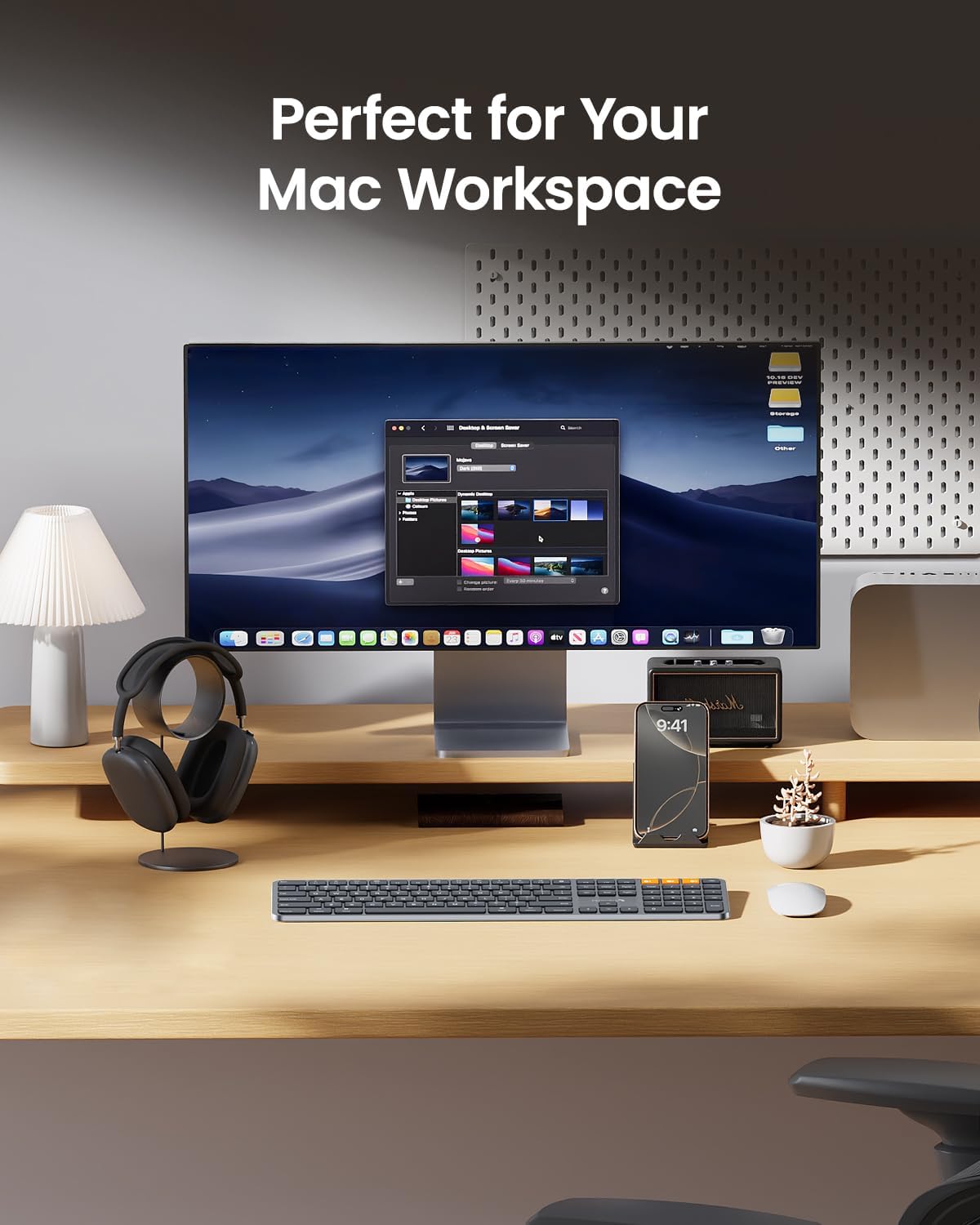
Perfectly Matches Your Mac Workspace



ProtoArc Backlit Mac Series
Add to Cart
Add to Cart
Customer Reviews
4.4 out of 5 stars 137
4.4 out of 5 stars 228
4.5 out of 5 stars 392
4.1 out of 5 stars 121
4.5 out of 5 stars 147
4.4 out of 5 stars 1,850
Price
$39.99$39.99
$56.99$56.99
$29.99$29.99
$59.99$59.99
$38.99$38.99
$42.99$42.99
Connection Type
3 * Bluetooth 5.1
3 * Bluetooth 5.1
3 * Bluetooth 5.1
3 * Bluetooth 5.1
3 * Bluetooth 5.1
3 * Bluetooth 5.1
Operating System
Mac OS X 10.12 and above
Mac OS X 10.12 and above
Mac OS X 10.12 and above
Mac OS X 10.12 and above
Mac OS X 10.12 and above
Mac OS X 10.12 and above
Compatible Devices
MacBook Pro/Air, iMac, iPad
MacBook Pro/Air, iMac, iPad
MacBook Pro/Air, iMac, iPad
MacBook Pro/Air, iMac, iPad
MacBook Pro/Air, iMac, iPad
MacBook Pro/Air, iMac, iPad
Windows Compatible
✘
✘
✘
✘
✘
✘
Backlight
✔
✔
✔
✔
✔
✔
Keyboard Backlit Color
Single Color
Single Color
Single Color
Single Color
Single Color
Single Color
Keyboard Battery Capacity
1700 mAh
1800 mAh
1200 mAh
1800 mAh
1200 mAh
1200 mAh
Keyboard Dimensions L x W
16.7″L x 4.7″W
16.7″L x 4.4″W
11.2″L x 4.7″W
16.7″L x 4.4″W
11.2″L x 4.7″W
16.7″L x 4.7″W
Layout
Full Size layout, with numpad
Full Size layout, with numpad
Compact layout, no numpad
Full Size layout, with numpad
Compact layout, no numpad
Full Size layout, with numpad
Number of Keys
109
110
78
110
78
109
USB C Rechargeable
✔
✔
✔
✔
✔
✔
Wired Connection
✘
✘
✘
✘
✘
✘
The keyboard cannot connect to your device
1.Ensure that the keyboard is fully charged.
2.Confirm that the keyboard is in the correct mode
3.Delete the keyboard’s Bluetooth pairing from your device’s Bluetooth listing.
4.Repair the keyboard with your device.
Some keyboard keys do not work / Keyboard keys have typing delay / Keyboard keys repeat typing:
1. Ensure that the keyboard is fully charged.
2. Delete the keyboard’s Bluetooth connection from your computers Bluetooth connection history. After deleting the Bluetooth connection, restart your computer.
3. Re-pair the keyboard with your computer
Is K100-A Bluetooth Keyboard compatible with Windows PCs?
No. This K100-A keyboard is designed exclusively for macO 10.12 and above, PadOS, and iOS. Device manufactured before 2013 or running macOS verstions below 10.12 are not supported. It does not support Windows, Android, or Linux.
On macOS, why do the keyboard keys 7, 8, 9, U, I, O, J, K, or the number keys (0-9) on the keypad, stop responding?
Because the “Mouse Keys” feature is enabled, to disable this feature on MacBook, iMac, and Mac Mini, follow these steps:
○ Go to Settings > Accessibility > Pointer Control > Mouse Keys.
○ Toggle the Mouse Keys switch to the off position.
After the device restart that required login, the keyboard wouldn’t reconnect?
The reason is FileVault On Mac. To disable FileVault:
1. Go to System Settings/System Preferences 2. Click Privacy & Securty 3. Cick FileVault 4. Click the lock icon in the bottom left and enter your password 5.Click Turn Off Encryption
How to Use Multimedia or F1-F12 function?
The Bluetooth keyboard comes preconfigured with multimedia functions. The F1- F12 functions need to be activated by pressing Fn + F1-F12 keys. Or you can set the keyboard to the F1-F12 functions by default on your Mac.
How long does it take for the keyboard backlight to automatically turn off if not in use?
If the keyboard is not in use for 2 minutes, the backlight will automatically turn off and can be awakened by pressing any key.
Does the keyboard come with a USB receiver or bluetooth adapter?
No. The keyboard connects only via Bluetooth — no dongle, no port clogging. It’s designed for the clean wireless experience mac users expect.
Can i connect and switch between multiple devices with the keyboard?
Yes. The keyboard offers 3 bluetooth channets and supports bluetooth 5.1 version or above. Using our keyboard for multiple devices helps declutter your workspace by eliminating the need for separate peripherals for each device.
How to know if the keyboard is at low battery?
When the battery is low, the low battery indicator light will start flashing in red until the keyboard is turned off. Low battery power can cause performance issues such as response delay and keys sticking.
Bluetooth Keyboard for Mac: K100-A Bluetooth keyboard for Mac offers a sleek, full-size layout. It’s compatible with Mac OS 10.12 or later, iOS & iPadOS(13.0 or above), perfect for MacBook, MacBook Pro, MacBook Air, Mac Pro/Mini, iPad, and iPhone. It supports Bluetooth 5.1 and above. Note: This keyboard is designed primarily for macOS. Media and function keys may not work on Windows, and devices older than 2013 or with Mac OS versions below 10.12 are not compatible
Adjustable Backlit Keys: This mac wireless keyboard features soft white LED backlighting with three adjustable brightness levels (low, medium, high). It’s ideal for low-light environments, providing gentle illumination that’s easy on the eyes. Customize the brightness to your preference with ease
Switch Up to 3 Devices: Bluetooth keyboard for mac can connect to three different devices simultaneously through its triple Bluetooth channels. You can easily switch between the devices by clicking on the mode switch button. Note: Connection is established solely through Bluetooth, USB dongle is not included
Upgraded rechargeable battery: Compared to the KM100-A set, this Bluetooth keyboard features a 40% increase in battery capacity, extending its operating time. It automatically enters sleep mode after 60 minutes of inactivity and can be awakened with a single key press. Backlighting needs to be turned on again
Quiet Typing for Focus: This backlit bluetooth keyboard boasts a responsive scissor switch, allowing for efficient and hushed typing. The low-profile design and soft-touch keys provide a comfortable typing experience, perfect for maintaining focus
Flat Keyboard: ProtoArc keyboard is designed to be flat, promoting a neutral wrist position. This allows you to type with your wrists level, reducing the risk of discomfort and potential issues like carpal tunnel syndrome
Notice: Using a full-size keyboard to enhance your work efficiency for Mac. However, please be aware that they may require more desk space compared to compact options
User Reviews
Be the first to review “ProtoArc Backlit Bluetooth Keyboard for Mac, K100-A Wireless Quiet Keyboard for Mac, Low Profile, Full Size, Multi-Device, Rechargeable, No USB, for MacBook Pro/Air, iPhone, iPad, Space Gray”

Original price was: $54.99.$39.99Current price is: $39.99.
There are no reviews yet.